
397 lines
18 KiB
Markdown
397 lines
18 KiB
Markdown
# OpenShorts.app
|
|
|
|
[](https://opensource.org/licenses/MIT)
|
|
[](https://opensource.org/)
|
|
[](http://makeapullrequest.com)
|
|
[](https://docs.docker.com/compose/)
|
|
[](https://github.com/mutonby/openshorts)
|
|
[](https://github.com/mutonby/openshorts/commits/main)
|
|
|
|
**Open source AI video platform** with 3 tools in one: **Clip Generator**, **AI Shorts (UGC videos with AI actors)**, and **YouTube Studio**.
|
|
|
|
**Two ways to run it, same software either way:**
|
|
|
|
| | Self-hosted (this repo) | Hosted on [openshorts.app](https://www.openshorts.app/) |
|
|
|---|---|---|
|
|
| **Price** | Free forever, MIT | Free plan, paid from $12/mo |
|
|
| **Speed** | 5 to 8 min per 8-min video on CPU | About 50s on our NVIDIA GPU |
|
|
| **API keys** | Bring your own Gemini, ElevenLabs, fal.ai | Gemini included, nothing to set up |
|
|
| **Watermark / limits** | None, ever | Watermark and 20 min/mo on the free plan, neither on paid |
|
|
| **Setup** | Docker, 8GB+ RAM, model downloads | Sign in and paste a link |
|
|
| **MCP / API for agents** | Same `/mcp` endpoint, but only while your machine is on | Always-on endpoint at [mcp.openshorts.app](https://www.openshorts.app/mcp), API keys in one click |
|
|
| **Your data** | Your server | Ours |
|
|
|
|
Self-hosting is genuinely free and always will be. It costs you a machine, your own API keys and the time to keep it running. The hosted plans exist to cover that hardware and those keys, not to unlock features.
|
|
|
|
https://github.com/user-attachments/assets/b45fa983-16b4-48b5-ac5b-a267836b9ad9
|
|
|
|
|
|
|
|
### Video Tutorial: How it works
|
|
[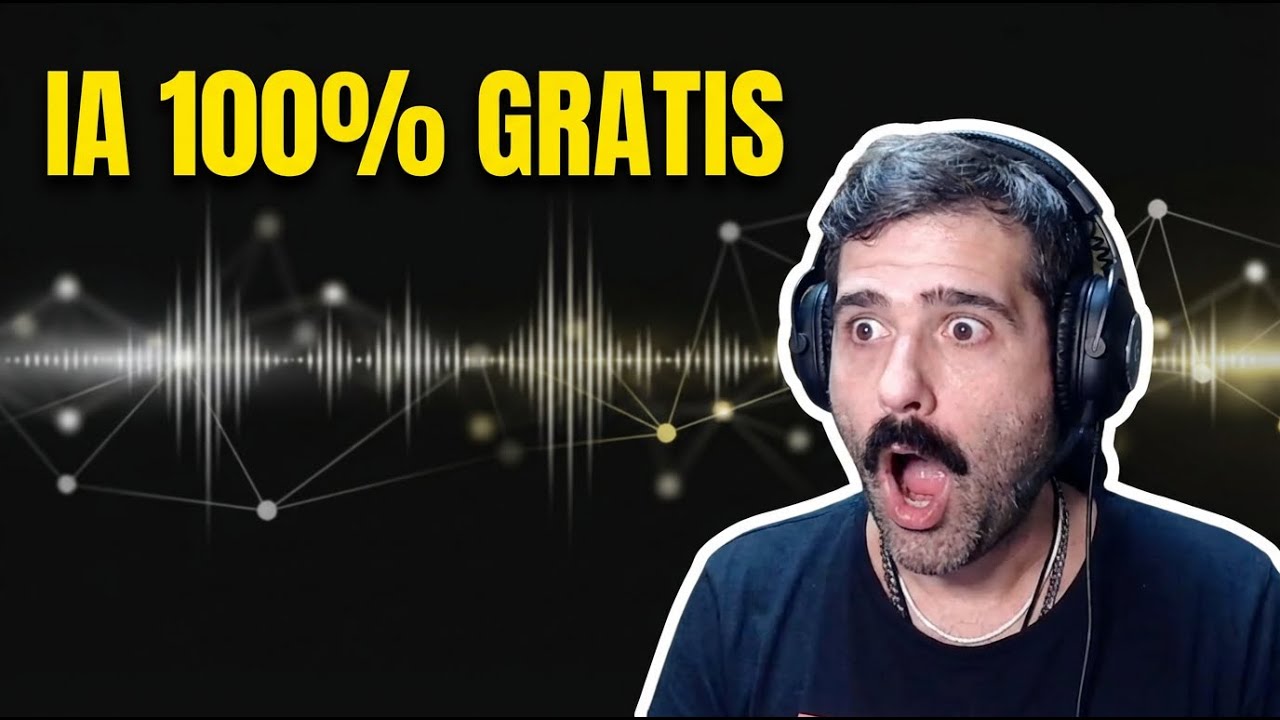](https://www.youtube.com/watch?v=xlyjD1qCaX0 "Click to watch the video on YouTube")
|
|
|
|
*Click the image above to watch the full walkthrough.*
|
|
|
|
---
|
|
|
|
## 3 Tools in 1 Platform
|
|
|
|
### 1. Clip Generator
|
|
Turn your long-form videos — podcasts, webinars, livestreams, vlogs, interviews — into viral-ready 9:16 shorts for TikTok, Instagram Reels, and YouTube Shorts.
|
|
|
|

|
|
|
|
### 2. AI Shorts (UGC Video Creator)
|
|
Generate marketing videos with AI actors for **any product or business**. No camera, no studio, no influencer budget. Just describe your product or paste a URL.
|
|
|
|

|
|
|
|
- **Two cost modes**: Low Cost (~$0.65/video) and Premium (~$2/video)
|
|
- Works for any business: SaaS, restaurants, e-commerce, coaching, local businesses
|
|
- AI-generated actors with lip-sync, voiceover, b-roll, and TikTok-style subtitles
|
|
- Choose from a shared avatar gallery or upload your own photo
|
|
- Publish directly to TikTok, Instagram, and YouTube
|
|
|
|
### 3. YouTube Studio
|
|
Complete free AI YouTube toolkit: thumbnails, titles, descriptions, and direct publishing.
|
|
|
|

|
|
|
|
- AI thumbnail generator with face overlay
|
|
- 10 viral title suggestions with refinement chat
|
|
- Auto-generated descriptions with chapter timestamps
|
|
- One-click publish to YouTube
|
|
|
|
### UGC Video Gallery
|
|
All generated videos and avatars are saved to a public gallery with SEO pages for each video.
|
|
|
|

|
|
|
|
- Public gallery page with hover-to-play (`/gallery`)
|
|
- Individual SEO video pages with og:video meta tags (`/video/{id}`)
|
|
- JSON-LD structured data for search engines
|
|
- Avatar gallery with prompt history
|
|
|
|
---
|
|
|
|
## Key Features
|
|
|
|
### Clip Generator
|
|
- **Viral Moment Detection**: Google Gemini 3.0 Flash analyzes transcripts and scene boundaries to detect 3-15 high-potential moments
|
|
- **Smart 9:16 Cropping**: Dual-mode AI reframing — TRACK mode (MediaPipe + YOLOv8 face tracking) and GENERAL mode (blurred background)
|
|
- **Auto Subtitles**: faster-whisper with word-level timestamps, styled and burned into clips
|
|
- **AI Voice Dubbing**: ElevenLabs integration for 30+ languages with voice cloning
|
|
- **Hook Text Overlays**: AI-generated attention-grabbing text overlays
|
|
- **AI Video Effects**: Gemini-generated FFmpeg filters for professional effects
|
|
|
|
### AI Shorts Pipeline
|
|
1. **Analyze**: Scrape website URL + web research, or generate from manual description
|
|
2. **Script**: AI writes viral scripts (hook - problem - solution - CTA format)
|
|
3. **Actor**: Generate AI actors with Flux 2 Pro or select from shared gallery
|
|
4. **Voice**: ElevenLabs TTS voiceover (English/Spanish, male/female)
|
|
5. **Video**: Talking head generation (Hailuo 2.3 Fast img2video + VEED Lipsync)
|
|
6. **B-roll**: AI-generated visuals with Ken Burns effect
|
|
7. **Composite**: FFmpeg final assembly with subtitles and hook overlays
|
|
8. **Publish**: Direct posting to TikTok, Instagram Reels, YouTube Shorts via Upload-Post
|
|
|
|
### YouTube Studio
|
|
- AI-powered title generation with 10 viral options
|
|
- Interactive refinement chat for titles
|
|
- AI thumbnail generation with custom face + background
|
|
- Auto descriptions with chapter timestamps from Whisper transcript
|
|
- Direct YouTube publishing via Upload-Post
|
|
|
|
### Social Auto-Publishing
|
|
- **One-click posting** to TikTok, Instagram Reels, and YouTube Shorts simultaneously
|
|
- **Schedule uploads** for any date and time — plan your content calendar and let OpenShorts publish automatically
|
|
- **Multi-platform distribution** — publish to all your social networks at once from a single interface
|
|
- Upload-Post integration with async uploads
|
|
|
|
### Infrastructure
|
|
- S3 cloud backup (private bucket for clips, public bucket for gallery/avatars)
|
|
- SEO gallery pages served by FastAPI with JSON-LD structured data
|
|
- Shared avatar gallery across all users
|
|
- Async job queue with configurable concurrency
|
|
|
|
---
|
|
|
|
## Who Is This For?
|
|
|
|
- **Content creators** — Turn long videos into shorts automatically, publish to all platforms at once
|
|
- **Marketing agencies** — Generate UGC videos for clients at scale, no actors or studios needed
|
|
- **SaaS founders** — Create product demos and marketing shorts from just a URL
|
|
- **E-commerce brands** — Product videos with AI actors for TikTok Shop, Instagram, YouTube
|
|
- **Local businesses** — Restaurants, gyms, real estate, coaching — affordable video marketing
|
|
- **Developers** — Self-host, customize the pipeline, integrate via API
|
|
|
|
---
|
|
|
|
## AI Shorts Showcase
|
|
|
|
Videos generated with OpenShorts AI Shorts — no camera, no studio, no actors:
|
|
|
|
| | | |
|
|
|:---:|:---:|:---:|
|
|
| [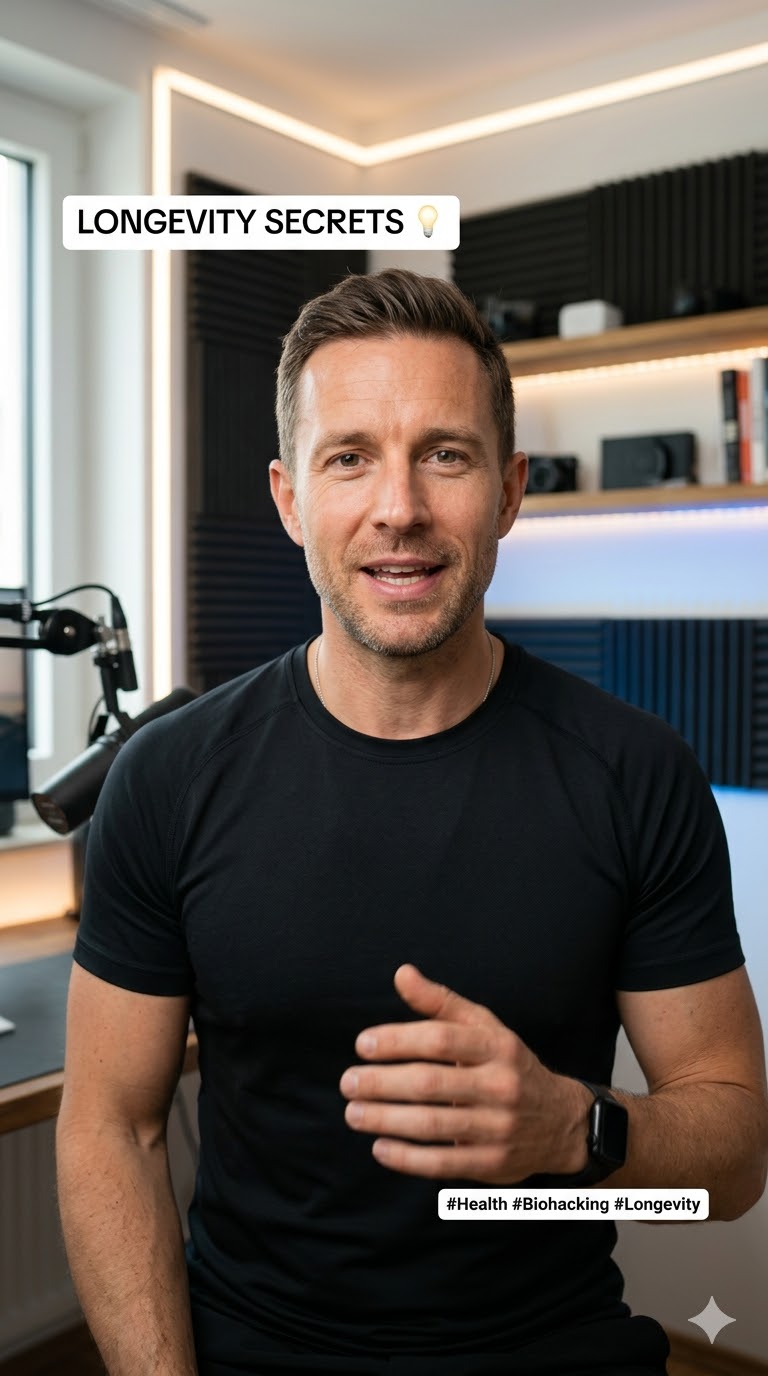](https://openshorts.app/video/cdceec1b) | [](https://openshorts.app/video/d3a80b6b) | [](https://openshorts.app/video/8ab7de92) |
|
|
| **Biohacking for Investors** · LOW COST | **Secret Weapon for Devs** · LOW COST | **El Secreto de los Agentes de IA** · PREMIUM |
|
|
|
|
> Browse all videos at [openshorts.app/gallery](https://openshorts.app/gallery)
|
|
|
|
---
|
|
|
|
## OpenShorts vs Competitors
|
|
|
|
| Feature | OpenShorts | Opus Clip | CapCut | Vizard | Klap | Descript |
|
|
|---------|:---:|:---:|:---:|:---:|:---:|:---:|
|
|
| **Price** | **Free self-hosted**<br>from $12/mo hosted | $15-29/mo | $8/mo | $15-20/mo | $23-63/mo | $24-65/mo |
|
|
| **Self-hosted** | **Yes** | No | No | No | No | No |
|
|
| **Open source** | **Yes** | No | No | No | No | No |
|
|
| **Watermark** | **Never self-hosted**<br>free plan only when hosted | Free tier | Some | Free tier | Free tier | Free tier |
|
|
| **Upload limits** | **None self-hosted**<br>by plan when hosted | 10-30GB | Credit-based | 60min-10hr | 10-100 vids/mo | 60min-40hr |
|
|
| **AI clip detection** | Yes | Yes | Yes | Yes | Yes | Yes |
|
|
| **Smart 9:16 reframing** | Yes | Yes | Yes | Yes | Yes | No |
|
|
| **Auto subtitles** | Yes | Yes | Yes | Yes | Yes | Yes |
|
|
| **Voice dubbing (30+ langs)** | Yes | No | Pro only | No | Pro only | Business only |
|
|
| **AI UGC actors** | **Yes** | No | No | No | No | No |
|
|
| **AI video effects** | Yes | No | Yes | No | No | No |
|
|
| **Hook text overlays** | Yes | No | No | No | No | No |
|
|
| **YouTube Studio (titles, thumbnails)** | **Yes** | No | No | No | No | No |
|
|
| **Social auto-publishing** | Yes | Pro only | TikTok only | Paid only | Paid only | No |
|
|
| **Schedule uploads** | Yes | Pro only | No | Paid only | Paid only | No |
|
|
| **Data privacy** | **Your server** | Their cloud | Their cloud | Their cloud | Their cloud | Their cloud |
|
|
|
|
---
|
|
|
|
## How Much Does It Cost?
|
|
|
|
Self-hosting OpenShorts is free. You provide the machine and you only pay for the AI APIs you use, and most have generous free tiers:
|
|
|
|
| Service | Free Tier | Paid Cost | Used For |
|
|
|---------|-----------|-----------|----------|
|
|
| **Google Gemini** | Free trial with generous limits | < $0.01 per 10-min video | Viral moment detection, script generation, web research |
|
|
| **fal.ai** | Pay-per-use | ~$0.50-1.50 per AI Short | Actor generation, talking head video, lip-sync |
|
|
| **ElevenLabs** | Free tier available | Pay-per-use | Voiceover, voice dubbing |
|
|
| **Upload-Post** | **10 free uploads/month** to all networks (no credit card) | Pay-per-use | Auto-publishing to TikTok, Instagram, YouTube |
|
|
| **AWS S3** | Optional | ~$0.023/GB | Cloud backup for clips and gallery |
|
|
|
|
**Bottom line:** You can clip videos for practically free with Gemini, and publish 10 videos/month to all social networks at zero cost with Upload-Post.
|
|
|
|
**Don't want to run any of that?** [openshorts.app](https://www.openshorts.app/) is the same software on our hardware: our NVIDIA GPU clips an 8-minute video in about 50 seconds instead of the 5 to 8 minutes it takes on a typical CPU, the Gemini key is included, and auto-publishing is already wired up. Free plan is 20 minutes a month with a watermark and no credit card; paid plans start at $12/mo for 100 minutes without watermark.
|
|
|
|
---
|
|
|
|
## Requirements
|
|
|
|
- **Docker & Docker Compose**
|
|
- **Google Gemini API Key** ([Free — get it here](https://aistudio.google.com/app/apikey)) — required for all AI features
|
|
- **fal.ai API Key** ([Pay-per-use](https://fal.ai)) — required for AI Shorts (actor generation, video, lip-sync)
|
|
- **ElevenLabs API Key** ([Free tier](https://elevenlabs.io)) — required for voiceover/dubbing
|
|
- **Upload-Post API Key** ([free tier](https://upload-post.com)) — required for direct social posting
|
|
|
|
---
|
|
|
|
## Getting Started
|
|
|
|
### 1. Clone
|
|
```bash
|
|
git clone https://github.com/mutonby/openshorts.git
|
|
cd OpenShorts
|
|
```
|
|
|
|
### 2. Configure (optional)
|
|
```bash
|
|
cp .env.example .env
|
|
# Edit .env with your AWS keys for S3 backup
|
|
```
|
|
|
|
### 3. Launch
|
|
```bash
|
|
docker compose up --build
|
|
```
|
|
|
|
### 4. Open Dashboard
|
|
Navigate to **`http://localhost:5175`**
|
|
|
|
1. Go to **Settings** and enter your API keys (Gemini, fal.ai, ElevenLabs, Upload-Post)
|
|
2. **Clip Generator**: Upload a long-form video to generate viral shorts
|
|
3. **AI Shorts**: Describe your product or paste a URL to generate UGC marketing videos
|
|
4. **YouTube Studio**: Generate thumbnails, titles, and descriptions for YouTube
|
|
5. **UGC Gallery**: Browse all generated videos and avatars
|
|
|
|
---
|
|
|
|
## Technical Pipeline
|
|
|
|
### Clip Generator
|
|
1. **Ingest** — Local video upload (or self-hosted URL ingest via yt-dlp)
|
|
2. **Transcribe** — faster-whisper with word-level timestamps
|
|
3. **Detect** — PySceneDetect for scene boundaries
|
|
4. **Analyze** — Gemini identifies 3-15 viral moments (15-60s each)
|
|
5. **Extract** — FFmpeg precise clip cutting
|
|
6. **Reframe** — AI vertical cropping with subject tracking
|
|
7. **Effects** — Subtitles, hooks, AI video effects
|
|
8. **Publish** — S3 backup + Upload-Post social distribution
|
|
|
|
### AI Shorts
|
|
1. **Analyze** — Website scraping + Gemini web research (or manual description)
|
|
2. **Script** — Gemini generates viral scripts with segments
|
|
3. **Actor** — Flux 2 Pro portrait generation (or gallery/upload)
|
|
4. **Voice** — ElevenLabs TTS voiceover
|
|
5. **Video** — Hailuo 2.3 Fast img2video + VEED Lipsync (Low Cost) or Kling Avatar v2 (Premium)
|
|
6. **B-roll** — Flux 2 Pro image generation + Ken Burns effect
|
|
7. **Composite** — FFmpeg assembly with ASS subtitles and hook overlays
|
|
8. **Gallery** — Upload to public S3 with metadata for SEO pages
|
|
9. **Publish** — Upload-Post to TikTok, Instagram, YouTube
|
|
|
|
---
|
|
|
|
## Automate It: MCP Server, REST API and Webhooks
|
|
|
|
You don't need the dashboard. The whole pipeline is callable by AI agents and scripts.
|
|
|
|
### MCP server (`/mcp`)
|
|
|
|
OpenShorts ships a built-in [MCP](https://modelcontextprotocol.io) server, so Claude, ChatGPT, Cursor or any MCP client can clip and publish videos for you:
|
|
|
|
```bash
|
|
# Hosted (create an API key in your account page at openshorts.app):
|
|
claude mcp add --transport http openshorts https://mcp.openshorts.app/mcp \
|
|
--header "Authorization: Bearer osk_..."
|
|
|
|
# Self-hosted (no key needed, BYOK rules apply):
|
|
claude mcp add --transport http openshorts http://localhost:8000/mcp
|
|
```
|
|
|
|
Tools: `process_video`, `get_job_status`, `list_clips`, `get_quota`, `add_subtitles`, `publish_clip`. A prompt like *"clip this podcast and schedule the best 3 to TikTok"* is now a one-liner in your agent of choice.
|
|
|
|
### REST API + API keys
|
|
|
|
Hosted accounts can mint `osk_...` API keys (account page). A key authenticates as you everywhere — same plan, same minutes, same job ownership:
|
|
|
|
```bash
|
|
curl -X POST https://api.openshorts.app/api/process \
|
|
-H "Authorization: Bearer osk_..." -H "Content-Type: application/json" \
|
|
-d '{"url": "https://youtube.com/watch?v=...", "acknowledged": true,
|
|
"webhook_url": "https://your-server.com/hooks/openshorts"}'
|
|
```
|
|
|
|
Interactive docs at `/docs` (OpenAPI) on any instance.
|
|
|
|
### Completion webhooks
|
|
|
|
Pass `webhook_url` (and optionally `webhook_secret`) to `POST /api/process` and you get exactly one `POST` when the job reaches a terminal state — no polling loops in your n8n / Zapier / cron pipelines:
|
|
|
|
```json
|
|
{"event": "job.completed", "job_id": "…",
|
|
"clips": [{"index": 0, "title": "…", "video_url": "…", "download_url": "…"}]}
|
|
```
|
|
|
|
With a secret, the body is signed: `X-OpenShorts-Signature: sha256=<hmac-sha256(body)>`.
|
|
|
|
### CLI
|
|
|
|
The same API from the terminal, zero dependencies (`cli/`):
|
|
|
|
```bash
|
|
pip install openshorts # or: uvx openshorts
|
|
|
|
export OPENSHORTS_API_KEY=osk_... # hosted
|
|
# export OPENSHORTS_API_URL=http://localhost:8000 # self-hosted, no key
|
|
|
|
openshorts process "https://youtube.com/watch?v=..." --wait
|
|
openshorts clips <job_id>
|
|
openshorts publish <job_id> 0 --platforms tiktok,youtube
|
|
```
|
|
|
|
### Agent skill
|
|
|
|
`skills/openshorts/SKILL.md` follows the open
|
|
[Agent Skills](https://agentskills.io) standard, so it works in any
|
|
skill-capable agent:
|
|
|
|
```bash
|
|
# Claude Code (and most agents): copy the folder into the skills directory
|
|
cp -r skills/openshorts ~/.claude/skills/
|
|
|
|
# Hermes Agent: install straight from this repo
|
|
hermes skills install mutonby/openshorts/skills/openshorts
|
|
|
|
# OpenClaw: from ClawHub
|
|
openclaw skills install @mutonby/openshorts
|
|
```
|
|
|
|
### n8n
|
|
|
|
An importable workflow (video URL in, published-ready clips out, no polling)
|
|
lives in [`examples/n8n/`](examples/n8n/).
|
|
|
|
---
|
|
|
|
## Tech Stack
|
|
|
|
| Layer | Technology |
|
|
|-------|-----------|
|
|
| Backend | Python 3.11, FastAPI, google-genai, faster-whisper, ultralytics (YOLOv8), mediapipe, opencv-python, yt-dlp, FFmpeg, httpx |
|
|
| Frontend | React 18, Vite 4, Tailwind CSS 3.4 |
|
|
| AI APIs | Google Gemini, fal.ai (Flux, Hailuo, VEED, Kling), ElevenLabs |
|
|
| Infrastructure | Docker + Docker Compose, AWS S3 |
|
|
| Publishing | Upload-Post API (TikTok, Instagram, YouTube) |
|
|
|
|
---
|
|
|
|
## Environment Variables
|
|
|
|
**Server-side (.env):**
|
|
| Variable | Description |
|
|
|----------|------------|
|
|
| `AWS_ACCESS_KEY_ID` | AWS access key for S3 |
|
|
| `AWS_SECRET_ACCESS_KEY` | AWS secret key |
|
|
| `AWS_REGION` | AWS region (default: us-east-1) |
|
|
| `AWS_S3_BUCKET` | Private bucket for clip backup |
|
|
| `AWS_S3_PUBLIC_BUCKET` | Public bucket for gallery/avatars |
|
|
| `MAX_CONCURRENT_JOBS` | Concurrent processing limit (default: 5) |
|
|
|
|
**Client-side (encrypted in localStorage):**
|
|
| Key | Description |
|
|
|-----|------------|
|
|
| `GEMINI_API_KEY` | Google Gemini — required |
|
|
| `FAL_KEY` | fal.ai — required for AI Shorts |
|
|
| `ELEVENLABS_API_KEY` | ElevenLabs — required for voiceover/dubbing |
|
|
| `UPLOAD_POST_API_KEY` | Upload-Post — required, for social posting |
|
|
|
|
---
|
|
|
|
## Security & Performance
|
|
|
|
- **Non-Root Execution**: Containers run as dedicated `appuser`
|
|
- **Concurrency Control**: Semaphore-based job queue (`MAX_CONCURRENT_JOBS`)
|
|
- **Auto-Cleanup**: Automatic purging of old jobs (1h retention)
|
|
- **Encrypted Keys**: API keys encrypted client-side, never stored server-side
|
|
- **Upload Validation**: Image uploads validated for format and minimum size
|
|
- **File Limits**: 2GB upload limit protection
|
|
|
|
---
|
|
|
|
## Social Media Setup (Upload-Post)
|
|
|
|
1. **Register**: [app.upload-post.com/login](https://app.upload-post.com/login)
|
|
2. **Create Profile**: Go to [Manage Users](https://app.upload-post.com/manage-users)
|
|
3. **Connect Accounts**: Link TikTok, Instagram, and/or YouTube
|
|
4. **Get API Key**: Navigate to [API Keys](https://app.upload-post.com/api-keys)
|
|
5. **Use in OpenShorts**: Paste the key in Settings
|
|
|
|
---
|
|
|
|
## Star History
|
|
|
|
[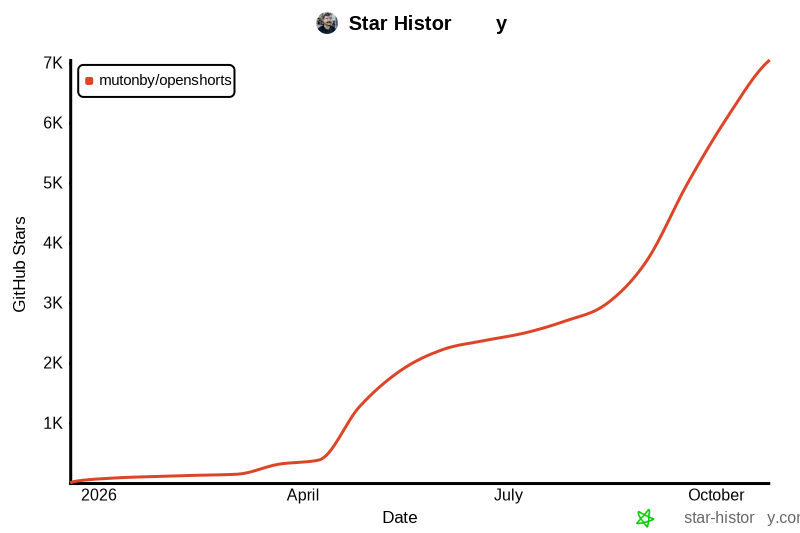](https://star-history.com/#mutonby/openshorts&Date)
|
|
|
|
## Contributions
|
|
|
|
Contributions are welcome! Whether it's adding new AI models, improving the lip-sync pipeline, or building new features — feel free to open a PR.
|
|
|
|
## License
|
|
|
|
MIT License for the core application — OpenShorts is yours to use, modify, and scale.
|
|
|
|
**Exception:** the [`cloud/`](cloud/LICENSE) directory (billing, managed keys, and the hosted-service infrastructure behind the optional `BILLING_ENABLED` flag) is source-available under the OpenShorts Commercial License. You can read it, modify it, and self-host it for personal or internal use, but you can't offer it to third parties as a paid/hosted service. Self-hosting the core app never requires this directory.
|